
Made for your everyday
Ad-Free Prayer Times App for iPhone
Your prayer schedule deserves a quiet space. FiveTimes brings prayer times, reminders, and Qibla to iPhone and Apple Watch, without advertising, account creation, or tracking.
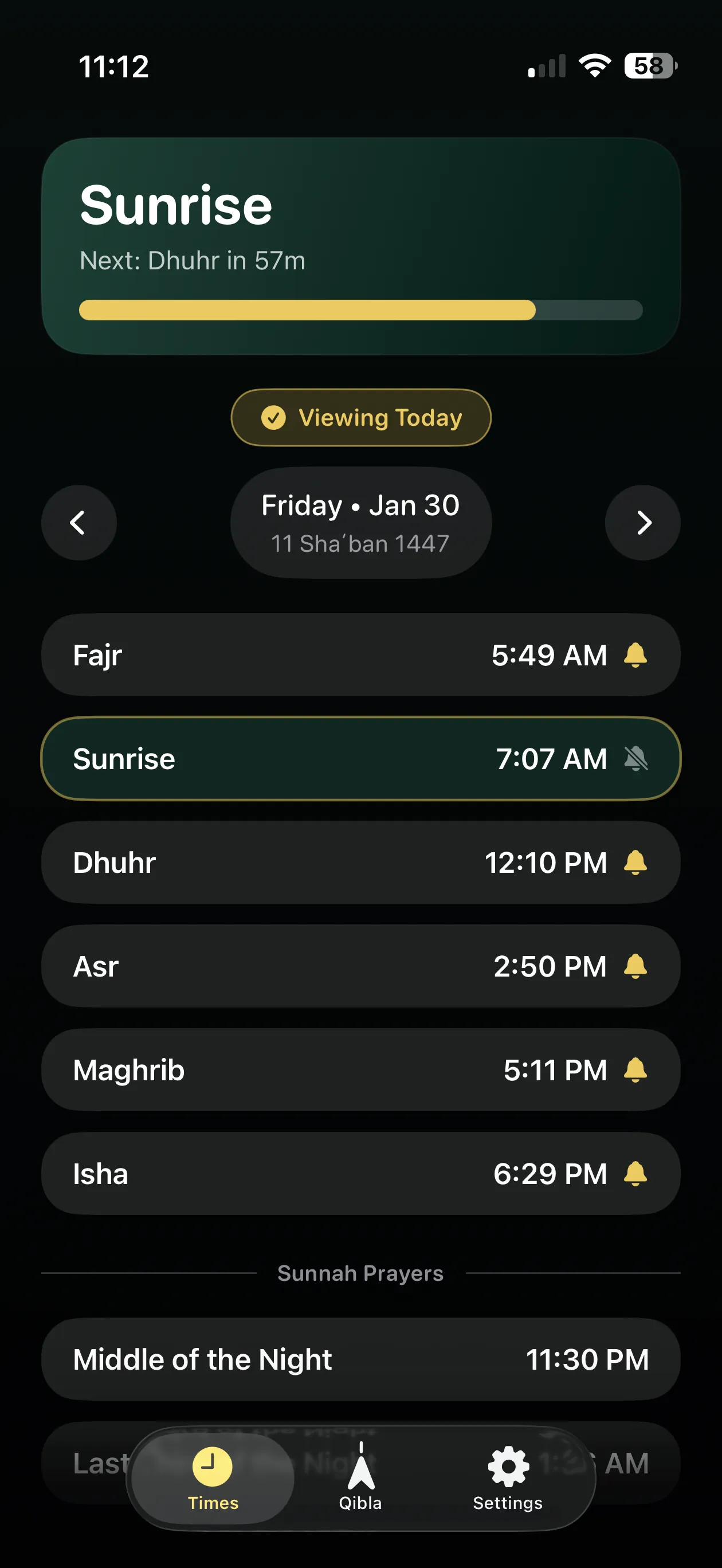

The tools you need for daily prayer
- Prayer times: see the day’s schedule and choose a calculation method and Asr setting to match your local community.
- Reminders: enable prayer-time alerts and choose a reminder before the next prayer.
- Qibla compass: find the direction toward Makkah using your iPhone.
- Widgets: keep prayer times on your Home Screen or Lock Screen.
- Apple Watch: check your schedule on your wrist or add the upcoming prayer to your watch face.
There is no account to register and no advertising or third-party tracking SDKs in the app.
Why a private prayer app needs location
Prayer times depend on where you are. FiveTimes uses your location to calculate the schedule and Qibla direction on your device. Your location is not uploaded to FiveTimes servers.
Location and preferences are cached locally for widgets and shared with your paired Apple Watch so it can calculate its schedule. This is device-to-device sharing, rather than an online FiveTimes account.
You can revoke location permission in iPhone Settings. This stops new location requests; previously cached coordinates may remain until replaced or the app is removed. The FiveTimes privacy policy explains storage and permissions in full.
Get started with FiveTimes
- Download FiveTimes and open it on your iPhone. No sign-in is needed.
- Allow location access so the app can calculate your local schedule.
- Open Settings to choose the calculation method and Shafi‘i or Hanafi Asr setting used by your community.
- If you want alerts, allow notifications and choose your prayer notification and reminder preferences.
Notifications are optional and scheduled locally through iOS. You can change their permissions in Settings → Notifications → FiveTimes.
Supported by people who find it useful
FiveTimes is built and maintained by an independent developer. If it helps you make room for prayer, you can make an optional donation to support development. Payments are processed by Stripe; this website does not handle payment details.
Common questions
Do I need to create an account?
No. Open FiveTimes and set up your local prayer schedule without signing in.
Does FiveTimes collect analytics?
FiveTimes does not send analytics, telemetry, or diagnostic logs to the developer. There are no advertising or third-party tracking SDKs.
Can I choose whether to send feedback?
Yes. Sending feedback by email is optional. You can review and edit the draft, including prefilled device details, before sending it to support.